Rubymine foreman run configuration
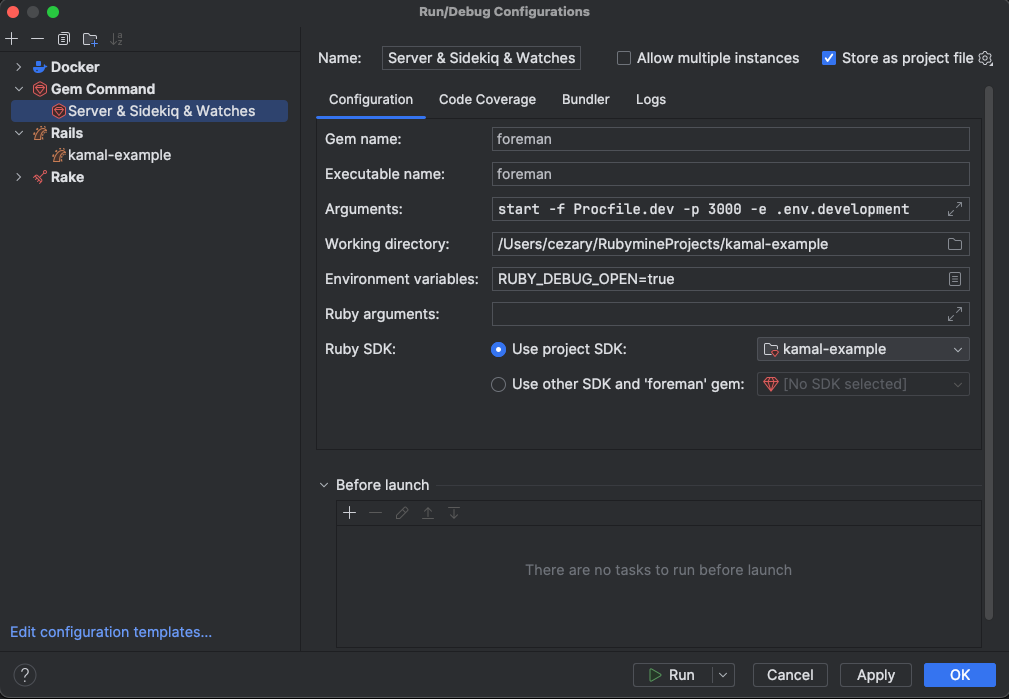
New Rails apps with JS and CSS bundling need yarn watches to recompile assets during development. This is resolved by shipping with bin/dev script and a Procfile that installs and starts foreman.
Shown Procfile has additional functionality, it starts Sidekiq process with rails app.
# bin/dev
if ! gem list foreman -i --silent; then
  echo "Installing foreman..."
  gem install foreman
fi

# Default to port 3000 if not specified
export PORT="${PORT:-3000}"

exec foreman start -f Procfile.dev "$@"
# Procfile.dev
web: env RUBY_DEBUG_OPEN=true bin/rails server
worker: bundle exec sidekiq
js: yarn build --watch
css: yarn build:css --watch
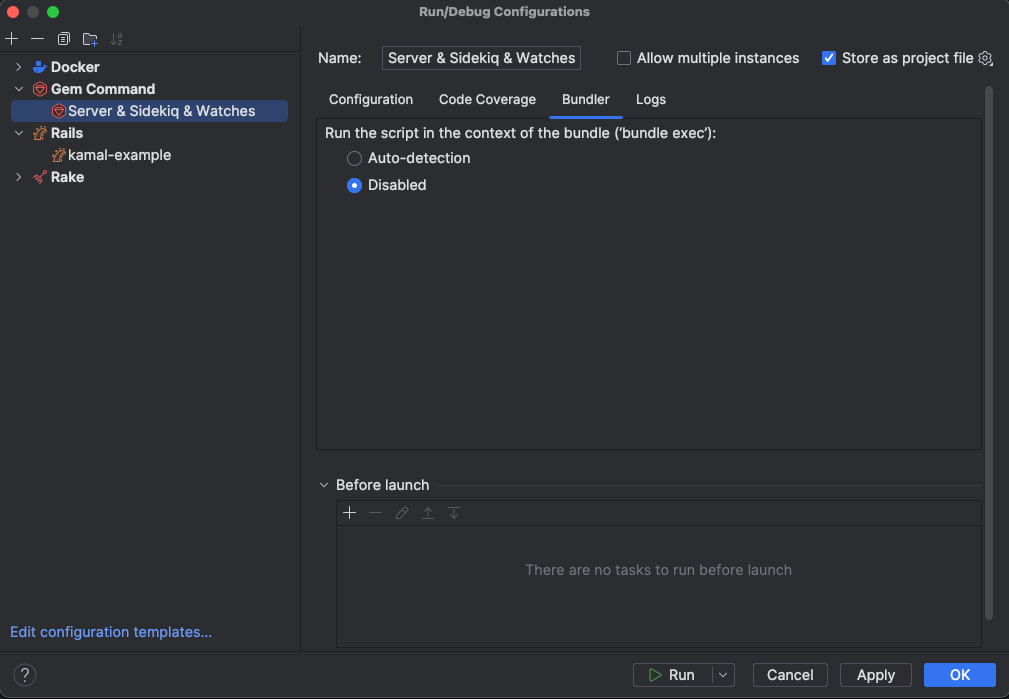
Here is how you can setup Rubymine to start foreman in dedicated run window. It will also work with debugger!
That's it for this post, thanks for reading!